test
Tags:
×
Login
Nickname
Password
Login
X Series
U Series
Holiday Announcement
Remote control
Affiliate
Tags
Login
Register
Tags: U1 total 11 .
Sofabaton respond is dead?
look like all the post with respond are from 2022 or early from user and Remote Owner search for assitance or solution, but...
TheRodriguez
1 year ago
662
2
Yamaha HTR-5550
Hi! Is there any way to add the Yamaha HTR-5550 Home Theatre receiver to the database? I know it's an old model, but ...
Scotty080
1 year ago
721
2
U1 OK button not working on Samsung QN55S95B
Hi, I paired my U1 on bluetooth to work as the Samsung remote for a QN55S95B. Everything seems to work except the OK button...
Gimarc99
1 year ago
856
1
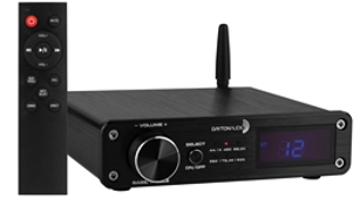
Dayton Audio
Hello, I am interested if you have any interaction with Dayton Audio components? I did see a listing for Dayton TV, but it ...
vicomte
1 year ago
807
1
U1 and Apple TV 4K
Just bought the U1. Successfully set it up to control my Onn Qled TV, Samsung Soundbar and Apple TV 4K. One problem I'm hav...
Maineiac
1 year ago
1356
5
No reply
Is there a problem with the support system? I used the app to ask if 3 devices had codes for the U1, each time, the pop-up ...
Homer
1 year ago
600
0
Sofabaton Technical Support
I purchased a new Sofabaton U1 three days ago and I can safely say, trying to set-up two devices on this remote is close to...
Phoophan
1 year ago
2721
5
55 in Sharp Roku TV not working with U1
I cannot get my U1 remote to properly pair with my 55 inch Sharp Roku TV. The only buttons that are accurately working is p...
STARKNASTY
1 year ago
980
1
Unusable
First let me say that I have over 40 years as a computer scientist, so am technicaly adept and looking to replace my Logite...
Jenks
1 year ago
967
2
U1 remote and YouTube TV / stop button won't work
Hi, all. Looking for some advice... All of a sudden the "stop" button on my U1 remote has stopped working with YouTube TV. ...
SofaChris
1 year ago
1020
4
1
2
Most Popular Articles
1.
2022.9.9, Major Update of Android APP ,HUB
2.
【Tutorial】 X1 User Guide and FAQ, Continuously Updated...
3.
How to program macros?
4.
X1 Hub Upgrade Already!
5.
What I learned about the U1 (edited)
6.
Major Advancement: X1 Hub firmware version V15 is here!
Latest Release
1.
AVR Volume long press faulty
2.
My Thoughts on the Sofabaton X2 after a couple of months
3.
Alexa and Sofabaton Skill linked but not working with X2
4.
Directional keys on U3 erratic
5.
No option to hide devices on U3
6.
Firmware of remote
Latest comments
It's hard to tell you've pressed an on-screen button sometimes, and haptic feedback would be a really nice quality of life option.
SofaBaton team, I have one more improvement request: Can we please have an option to enable haptic feedback for Touch Screen button presses? It's hard to tell you've pressed an on-screen button sometimes, and haptic feedback would be a really nice quality of life option.
I would like to strongly support this request. Haptic is clearly a function of the X2 so a haptic buzz would greatly enhance the macro capability
Thank you. If they could please at least fix the first item, it would make the 2nd item far less annoying as I wouldn't need to take a screen shot of my activities startup sequence to capture device inputs before adding a device to each of them.
Thanks for your feedback! We will pass along your suggestion to our R&D team for review and will take it into consideration in futre updates.
PS, being able to buy an optional "Hub Pro" with say 6 seperate and discretely addressable 3.5mm IR blaster ports would be an amazing option to for folk like me to replace URC MRF-350's. Im currently using a 6 port IR repeater to connect my equipment to the X2 Hub - it does work, but a hub with 6 ports baked in would be better. https://www.snapav.com/wcsstore/ExtendedSitesCatalogAssetStore/attachments/documents/RemotesAndIR/ManualsAndGuides/URC-CCP-MRF350i_spec_sheet.pdf