×
Login
Nickname
Password
Login
X Series
U Series
Holiday Announcement
Remote control
Affiliate
Tags
Login
Register
Tags: RemoteControl total 1 .
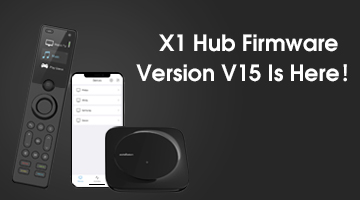
Major Advancement: X1 Hub firmware version V15 is here!
We are pleased to announce that our X1 universal remote control has been updated to the V15 firmware version! Thi...
SofaBaton
1 year ago
12446
52
1
Most Popular Articles
1.
2022.9.9, Major Update of Android APP ,HUB
2.
【Tutorial】 X1 User Guide and FAQ, Continuously Updated...
3.
How to program macros?
4.
X1 Hub Upgrade Already!
5.
What I learned about the U1 (edited)
6.
Major Advancement: X1 Hub firmware version V15 is here!
Latest Release
1.
My Thoughts on the Sofabaton X2 after a couple of months
2.
Alexa and Sofabaton Skill linked but not working with X2
3.
Directional keys on U3 erratic
4.
No option to hide devices on U3
5.
Firmware of remote
6.
U3 keeps freezing / reboots
Latest comments
Thank you. If they could please at least fix the first item, it would make the 2nd item far less annoying as I wouldn't need to take a screen shot of my activities startup sequence to capture device inputs before adding a device to each of them.
Thanks for your feedback! We will pass along your suggestion to our R&D team for review and will take it into consideration in futre updates.
PS, being able to buy an optional "Hub Pro" with say 6 seperate and discretely addressable 3.5mm IR blaster ports would be an amazing option to for folk like me to replace URC MRF-350's. Im currently using a 6 port IR repeater to connect my equipment to the X2 Hub - it does work, but a hub with 6 ports baked in would be better. https://www.snapav.com/wcsstore/ExtendedSitesCatalogAssetStore/attachments/documents/RemotesAndIR/ManualsAndGuides/URC-CCP-MRF350i_spec_sheet.pdf
The Off button should just turn off every device that's currently on and managed by the remote - and last time I checked it does this perfectly. I don't really understand why you would want this to operate differently?
Please refer to this article: https://www.sofabaton.com/faq/how-to-use-alexa/
Did you add the Shield from our IR library or pair the remote via Bluetooth? Bluetooth is the recommended way.